The Apple Vision Pro offers several new tech opportunities for church ministry.
If you are an Apple fanboy like me then you would have most likely seen the Apple WWDC announcement of the Apple Vision Pro on the 5th June. The Vision Pro is the new VR headset from Apple, the first VR headset for Apple. Though, unlike many other VR headsets that immerse you in a completely different world, the Vision Pro occupies a space between real and virtual with this new computing dynamic Apple is calling ‘Spatial Computing.’ In fact, Apple have made the point of not calling the Vision Pro a virtual reality device.
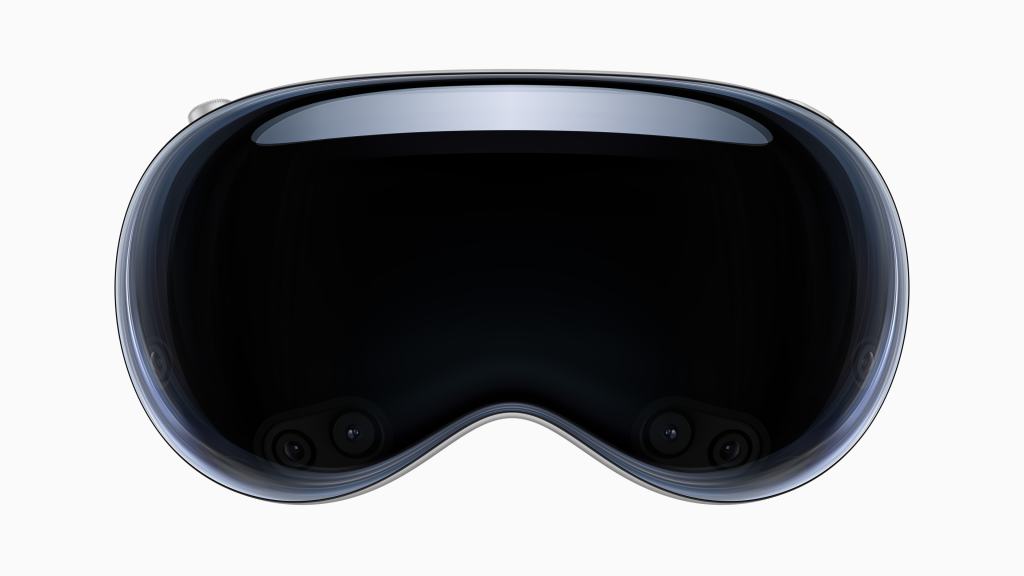
The Vision Pro comes at a high price tag of $3499, which will naturally make it beyond affordability for many people in ministry. But this is only the first edition from Apple. I believe that as they develop Vision Pro further over the years, the price tag will decrease and become (comparatively) more affordable (though I imagine it will remain fairly high).
However, even though the Vision Pro will be an expensive purchase for many involved in church ministry, I believe the technological advances offer a wide range of possible uses and benefits in ministry. The Vision Pro won’t be out till 2024, and even then I can’t imagine that I would be in a position to purchase one just yet, but I do believe that it would have some great benefits to my work in church ministry but also to people who work in business, education and so many other disciplines. Here are my top 3 uses of the Vision Pro for those in ministry.
1) Multitasking
People in ministry are constantly having to juggle a number of tasks and projects at all times. As much as ministry is an in-person role, there is a plethora of preparation that goes into it ahead of the service, often at a computer. There is preparation for services including prepping liturgy, choosing hymns and writing your sermon.
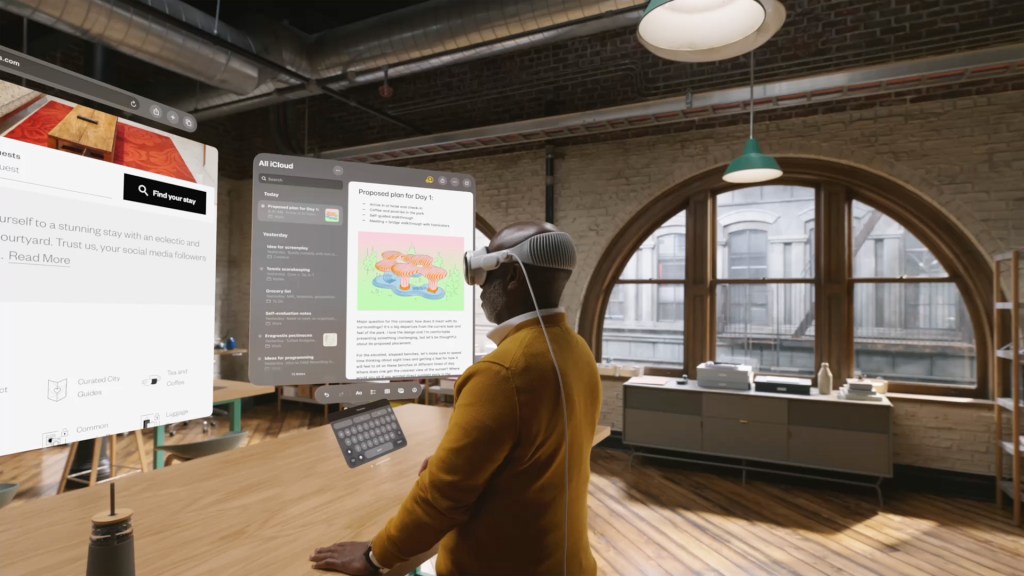
When writing a sermon I have my word document open for writing up my sermon script, my bible app with the passage, a PDF of the Sunday order of service, and a webpage or two open on google or wikipedia for some background research, and of course Spotify is open with some sermon-writing background music. If I am prepping for a church PCC meeting (parochial church council) then I am looking at previous minutes, agendas, financial statements, and somewhere my personal list of notes for the meeting. Having the large canvas is really helpful for putting on these different documents in front of me rather than losing them behind each other in a overlapping windows. I strongly believe that the Vision Pro could be a multi-tasking game changer for ministers and pastors juggling all these different aspects at the same time.
2) Big Screen
The big screen is closely tied to the multi-tasking benefit of a large canvas, however, I want to emphasise the advantage of having such a large screen. Vision Pro will give users access to the biggest screen they have ever had. Never before has it be so easy to adjust your computer screen from 13″ to an 100″ in the space of a few seconds and with merely the flex of your finger. Most of us can only get access to a bigger screen with a desk monitor (mine is 24″), or perhaps connecting it to your TV. But when you think of how much a 4K monitor or TV costs (many going over £1000), a $3499 price tag starts to feel less ridiculous. A quick search on Amazon would show you that an 100″ TV is going to cost you at least £2,000, so when you factor in the cost of a computer as well, you are not far off the $3,499 price tag. And even if you were in a position to buy an 100″ TV, you are still left with the question of where would you put it. Not many of us can reasonably position an 100″ TV in our homes. But with the Vision Pro, you get all the advantage of a large screen without the hassle of dealing with a bulky TV. And whether you are using a 20″ or 200″ screen, you still get the clarity and crispness of 23 million pixels across the Vision Pro’s two displays.
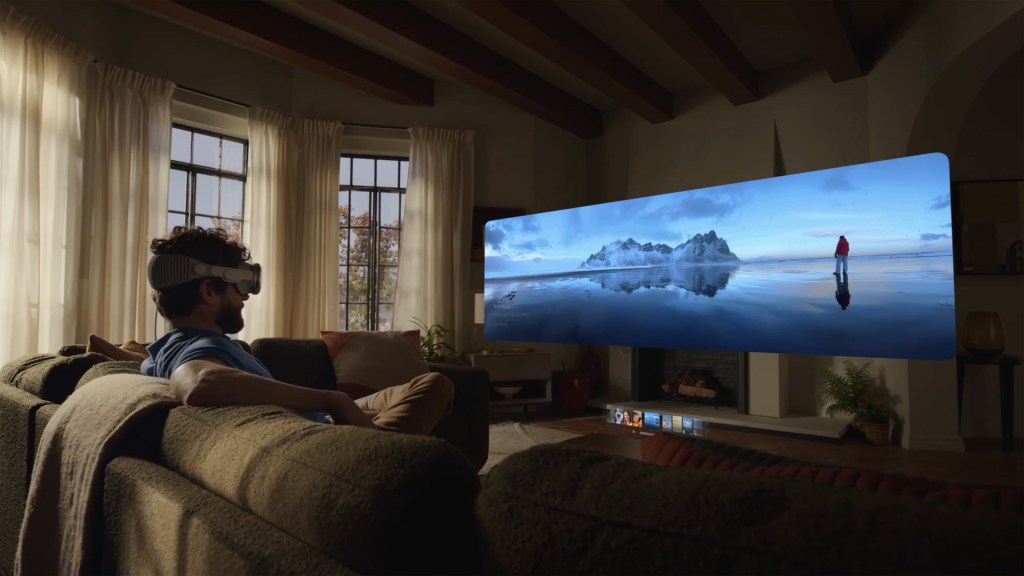
So what will be the advantage of having such a big screen? We have spoken a bit about multi-tasking, but I think the most striking advantage will be allowing users to put documents and files up on a very large screen. Think of all the times you are staring at your computer screen straining to see the small text, then if you increase the zoom you only end up reading 10 words a line, 3 lines at a time. The Vision Pro will give ministers the possibility to take tiny texts for service sheets and Bible passages and put them at a size that bests suits them. The adjustment range is so great that you could have realistically any screen size and zoom that you wanted. Given how many ministers are working beyond retirement, when reading small text tends to become a challenge to many of us, the Vision Pro could offer a great solution to this problem. Additionally, you can easily screen mirror what is on your macbook by simply looking at your laptop screen, which will then add it into your spatial field on the Vision Pro. This makes the big screen of the Vision Pro very quick to set up without having to go through several steps to get your files up on the big screen.
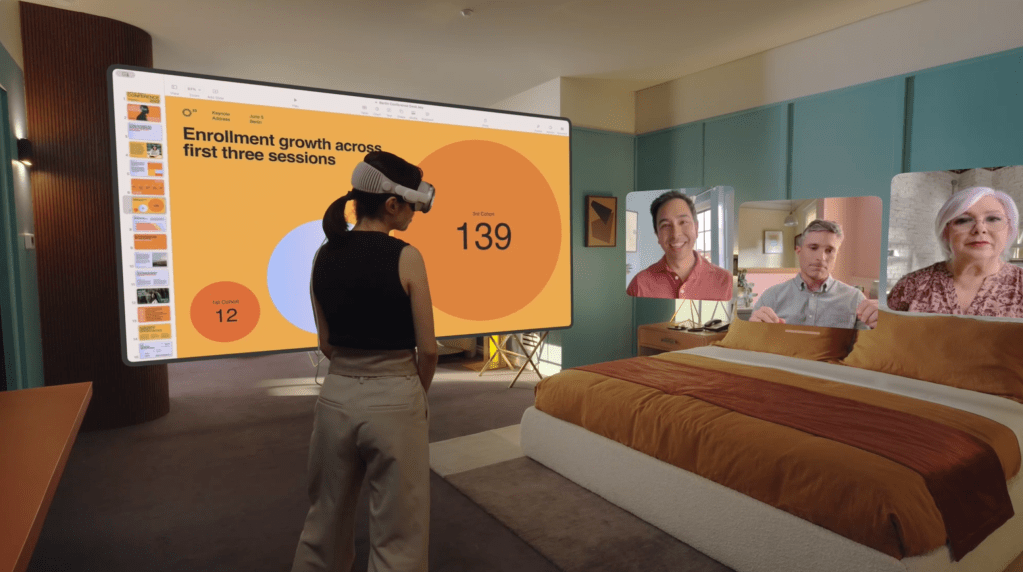
Another advantage of the big screen is the possibilities it has for collaborative working. Over the pandemic, many of us moved to working online. We all soon became experts on Zoom, and the novelty of a video conference became an everyday necessity for our lives. Everyday we gathered around our computer screens (or our smaller iPad screens) as minature versions of our faces were crammed into a tiny box. As helpful as apps like Zoom were in the pandemic, engaging with a tiny box on a screen was very draining to the eyes and our mental focus. Now with the Vision Pro, our faces will appear at a life-like size or even bigger. Now instead of looking down at a screen an straining our necks from looking down, we are able to chat with people at a normal height and angle without squinting to see them. As you can see in the image above, the woman has placed the three people in our video call on the right hand size at eye-level with a human-sized space between each of them. Additionally, the many tiny speakers in the Vision Pro creates an audio spatial field that pans voices so it was like they were there with you in the room. For example, the woman in the image would be hearing the people in the video conference as though they were positioned on the right side of her (i.e. the right ear speakers would be louder). This creates a more natural conversation environment and makes it easier to engage with the call. Then whilst in the video call, she is able to have a powerpoint presentation open next to her. This means that she can see her presentation and any other notes at the same time as the people on the call. This takes away the awkward and difficult search of going through over-lapping windows to find the document you were looking for whilst also keeping the video call in view. This layout would greatly benefit church Zoom meetings for when you are trying to talk to several people whilst also having the meeting agenda and previous minutes in view at the same time. Multiple people using such a set up could make the Zoom meetings feel more intutive and similar to in-person meetings, giving us the convenience of online meetings whilst keeping the benefits of in-person working and connection.
There is of course the question of what others see if there isn’t a camera pointed at your face. On the call, the Vision Pro user would appear as an AI simulated version of their face based on the inital face-scan during the set up (like the Face ID set up). It seems a bit strange and I’m not sure how well I like the idea of it, but it does offer a reasonable enough solution to address this challenge.
At the moment the Vision Pro is only compatible with native Apple apps so video conferencing would currently have to take place via FaceTime (although Disney Plus will be available with the Vision Pro from day one). Henceforth Apple announced the Vision Pro now ahead of its 2024 release. This gives time to companies and developers like Microsoft and Zoom to create Vision Pro compatible apps so that we can use our favourite apps in this new immersive big screen experience.
3) Portability
For me, the portability of the Vision Pro will be its the most beneficial feature. Previously, big screen multi-tasking was tied to an office desk with a large monitor but with the Vision Pro this is a thing of the past. Many ministers and pastors find themselves chained to a desk in order to do this kind of work. However, with the Vision Pro, ministers can take their office space wherever they go. Where many other VR headsets are made of plastic, the Vision Pro is made of a strong aluminum alloy that gives it durability when out and about. It is therefore slightly heavier than other headsets, but its comfortable headband offers cushioning and breathability to help offset the weight.
Where at home you would have a separate computer and screen and all the other external connectors, Vision Pro contains the whole system in the headset. There is no need for a separate mouse as the Vision Pro uses eye movement and hand gestures for the controls. The only external bit of the headset is the battery pack, which is the size of a phone and is designed to fit easily in your pocket. This means that all the benefits of the Vision Pro’s experience than be used in any environment.

Ministers and pastors can now spend more time out in the parish and the community instead of feeling tied to the desk. Instead of having to rush back and forth between church, home, and home visits (which I personally find a real challenge), ministers can now take their office with them on the go through the day. Now between home visits sat in a cafe or on a park bench, or tucking up on the back pew, I can open up my whole office space. With the digital crown I can set my level of immersion and customise my set up to fit any location. This release from the desk will be a game changer for so many ministers who feel trapped by the desk instead of being out in the parish.
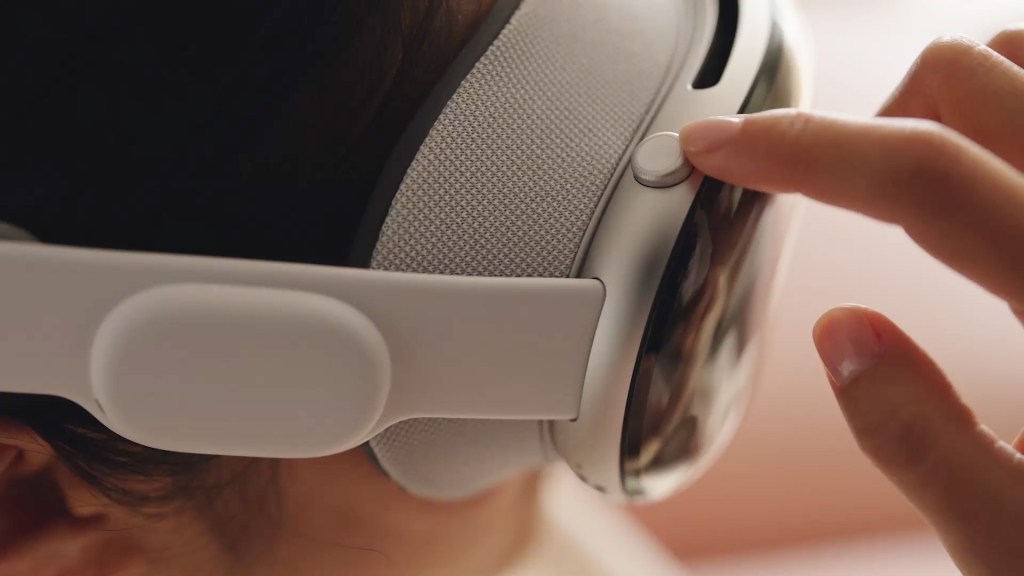
For all the benefits of the Vision Pro’s portability, I do recognise the battery life of 2 hours presents a lot of challenges to using this Vision Pro away from home for long periods of time. To use the Vision Pro continually, the user needs to plug in a charging cable into the battery. This of course effects the portability of the Vision Pro, at least beyond a 2 hour use. I personally don’t see this as a major issue. For starters, wearing a headset for more than two hours is a long time and many people would want to take a break in this time. And although watching a film can easily take more than 2 hours, I think the likelihood is that we would be sat down to use the Vision Pro if we were using it continually for that amount of time, and therefore could easily plug it in for use. Additionally, I recognise, as with any first generation product, there will be some expected limitations with its features such as battery life. However, as Apple continue to develop the Vision Pro, I am confident that the battery life will improve over the subsequent generations. For most in ministry, I think 2 hours is a good starting point and it will only get better as they years go on.
Should You Get a Vision Pro in 2024?
The short answer is probably no, but maybe if you can afford it. I think the Vision Pro will be a great tool for church ministers but I don’t think it is ready for wide-use across church ministry just yet. Even with the heaps of computing power you get with the Vision Pro, the $3499 price tag is still a large sum of money that many of us cannot afford. Additionally, a first generation product like this isn’t made for the layman (pun intended). It’s aimed at the tech and Apple enthusiasts who will provide the first wave of market feedback on the product to help the developers. Notice how it took the iPhone a few models to get off the ground. It wasn’t until Apple had created the 3rd and 4th Gen iPhones that they started to reach a wider mass audience. People who have the money might choose to get the Vision Pro take advantage of its work and entertainment possibilities, and if I had the money I think I would get one in 2024. But the time to get it would be after a few years of market tested development and also hopefully a reduced price tag. Nevertheless, I believe that the Vision Pro will offer ministers and pastors ‘money well spent’ benefits through its multi-tasking, big-screen and portability. I know that the Vision Pro will change the way I do minstry for the better. It is not a question of if I will buy the Vision Pro, but only a matter of when.
Check out what Apple products I use:
What I am reading now:
 Shakeel Nurmahi